
TL;DR:
- Lawtonpdf offers a local, offline document comparison solution ideal for privacy-sensitive law firms on Windows. It handles PDFs, Word, and folders without cloud upload, and provides a full PDF toolset, making it suitable for small to mid-sized teams. Larger firms needing enterprise DMS integration may prefer Workshare Compare or other specialized tools.
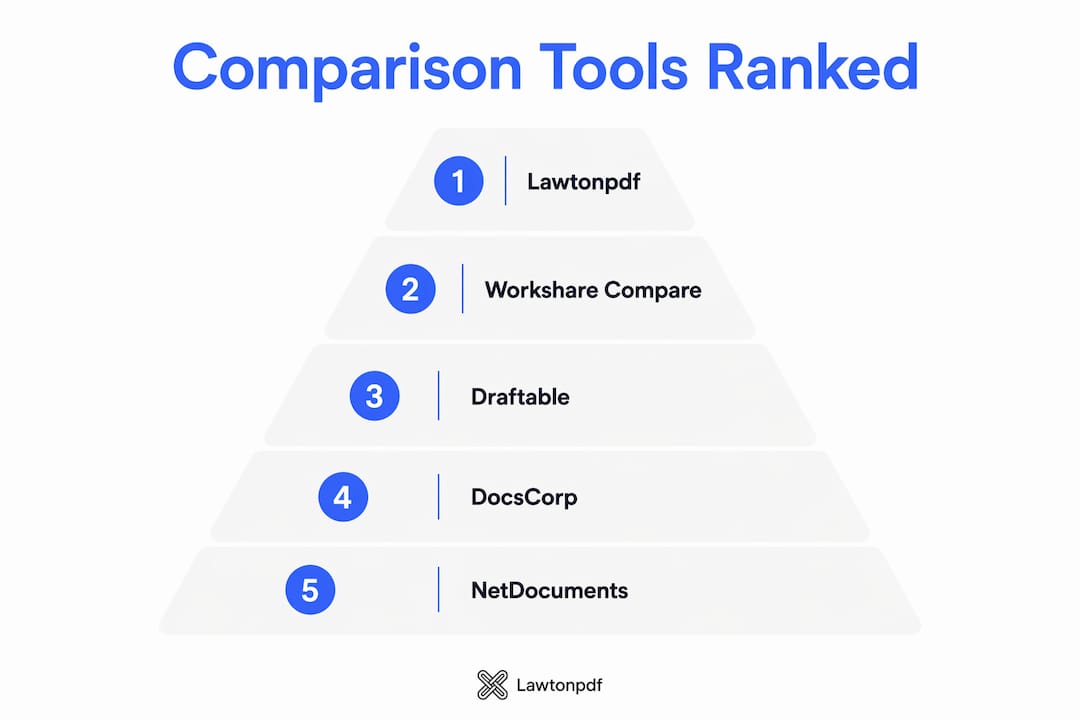
For privacy-sensitive firms, Lawtonpdf is the top local-first alternative to Litera Compare: it processes every file on your Windows machine with no cloud upload, supports PDF, Word, folder, and spreadsheet comparison, and includes a full PDF toolset. For large firms that need deep DMS integration, Workshare Compare is the closest enterprise match. Your immediate next step: download a trial, load a real contract redline, and run a folder compare on a matter directory. That test will tell you more than any feature list.
Quick shortlist by use case:
- Lawtonpdf — local/offline processing, PDF-first workflows, privacy-sensitive teams
- Workshare Compare — Am Law firms, iManage/NetDocuments, SSO, centralized admin
- Draftable — solo practitioners, fast ad-hoc redlines, low procurement friction
- DocsCorp / CompareDocs — Microsoft 365 shops, in-context Word redlines
- Microsoft Word (built-in compare) — basic redlines, no extra license needed
Table of Contents
- What are the best Litera Compare alternatives for law firms?
- Lawtonpdf gives you local-first comparison and a full PDF toolset
- Workshare Compare handles enterprise-scale DMS workflows
- Draftable is the fastest way to test a Litera alternative
- DocsCorp / CompareDocs keeps redlines inside Microsoft 365
- NetDocuments and M-Files offer compare as part of a larger DMS
- How to choose the right Litera Compare alternative for your firm
- Why deployment and privacy matter more than features for U.S. law firms
- Final recommendation and next steps for procurement
- Key Takeaways
- What the market gets wrong about document comparison tools
- Lawtonpdf is the local-first alternative your firm can trust
- Sources and further reading
- FAQ
What are the best Litera Compare alternatives for law firms?
The market for Litera Compare alternatives splits cleanly into three tiers: standalone comparison engines, DMS platforms with built-in compare, and practice-management suites that include document tools. Most buyers only need the first tier. Independent directories aggregate dozens of options, but the realistic shortlist for legal teams is much shorter once you filter by deployment model and DMS fit. Pricing varies, with Litera's per-user cost reportedly in the $500–$1,000+ per year range, and browser-based alternatives such as Clausul starting at $29/month or $249/year.
| Tool | Best for | File types | Deployment | DMS & Office integrations | Security & compliance | Batch/folder compare | AI features | Pricing model | Platform |
|---|---|---|---|---|---|---|---|---|---|
| Lawtonpdf | Privacy-sensitive firms, local processing | PDF, Word, text, spreadsheet, images, folders | Local (Windows) | Word; no cloud DMS | Local processing, encryption | Yes | No | Subscription; free tier | Windows |
| Litera Compare | Large firms, DMS-heavy workflows | Word, PDF | Desktop, Server, M365 | iManage, NetDocuments, Word | SOC2, enterprise admin | Yes | Lito AI (Google Workspace) | Enterprise; opaque pricing | Windows, web |
| Workshare Compare | Am Law 100/200, SSO, iManage | Word, PDF | On-prem, cloud | iManage, NetDocuments, Word | SOC2, SSO/SAML | Yes | No | Enterprise; per-seat | Windows |
| Draftable | Solo/boutique, fast trials | Word, PDF | Cloud, desktop | Limited | Standard | No | No | Freemium; paid tiers | Windows, web |
| DocsCorp / CompareDocs | Microsoft 365 firms | Word, PDF | Cloud, on-prem | Word, Outlook, M365 | Standard | Yes | No | Per-seat | Windows |
| NetDocuments | DMS-first organizations | Word, PDF | Cloud | NetDocuments native, Word | SOC2, ISO 27001 | In-platform | No | DMS subscription | Web |
| M-Files | Structured DMS + workflows | Word, PDF | Cloud, on-prem, hybrid | Word, Outlook | SOC2 | In-platform | No | DMS subscription | Windows, web |
| Microsoft Word (built-in) | Basic redlines, no extra cost | Word | Local | Word native | Standard | No | No | Included with Word | Windows, Mac |
| HighQ | Enterprise collaboration | Word, PDF | Cloud | iManage, Word | SOC2 | Limited | No | Enterprise | Web |
| Contentverse | ECM organizations | Word, PDF | Cloud, on-prem | Standard | Standard | Yes | No | ECM subscription | Windows, web |
| Revver | Workflow automation | Word, PDF | Cloud | Standard | Standard | Limited | No | Subscription | Web |
| DocuWare | Mid-size DMS needs | Word, PDF | Cloud, on-prem | Standard | SOC2 | Limited | No | DMS subscription | Windows, web |
| Docsvault | Flexible deployment | Word, PDF | On-prem, cloud | Standard | Standard | Limited | No | Subscription | Windows |
| Genie AI | AI-assisted contract analysis | Word, PDF | Cloud | Word, M365 | Standard | No | Yes | Subscription | Web |
| Relativity | E-discovery, large litigation | Word, PDF, images | Cloud, on-prem | Standard | SOC2, ISO 27001 | Yes | Yes | Enterprise | Windows, web |
| Conga CLM | CLM + compare workflows | Word, PDF | Cloud | Salesforce, Word | SOC2 | Limited | No | CLM subscription | Web |
| CoCounsel | AI-assisted legal review | Word, PDF | Cloud | Word, M365 | SOC2 | No | Yes | Subscription | Web |
| Clio | Small firm practice mgmt | Word, PDF | Cloud | Word, Outlook | SOC2 | No | No | Practice mgmt subscription | Web |
| Smokeball | Small firm practice mgmt | Word, PDF | Cloud | Word, Outlook | Standard | No | No | SMB subscription | Windows |
| LEAP Legal | Solo/small firm | Word, PDF | Cloud | Word, Outlook | Standard | No | No | SMB subscription | Windows, web |
| Actionstep | Midsize configurable workflows | Word, PDF | Cloud | Word, Outlook | Standard | No | No | Subscription | Web |
| Litify | Practice management | Word, PDF | Cloud | Salesforce, Word | SOC2 | No | No | Enterprise | Web |
| MyCase | Boutique case management | Word, PDF | Cloud | Word, Outlook | Standard | No | No | Subscription | Web |
| PracticePanther | Small firm practice mgmt | Word, PDF | Cloud | Word, Outlook | Standard | No | No | Subscription | Web |
| CloudLex | Cloud litigation teams | Word, PDF | Cloud | Word, Outlook | Standard | No | No | Subscription | Web |
| Avokaado | CLM + automation | Word, PDF | Cloud | Word | Standard | No | No | CLM subscription | Web |
| BoostDraft | Drafting automation | Word | Cloud | Word | Standard | No | No | Subscription | Web |
| monday.com AI Work Platform | Workflow orchestration | Word, PDF | Cloud | Word, Outlook | SOC2 | No | Yes | Subscription | Web |
| Manage My Lawsuits | Litigation workflows | Word, PDF | Cloud | Standard | Standard | No | No | Subscription | Web |
| Plexus | ECM evaluation | Word, PDF | Cloud | Standard | Standard | No | No | ECM subscription | Web |
| Lexzur | Broad market survey | Word, PDF | Cloud | Standard | Standard | No | No | Subscription | Web |
| Gavel | Niche legal tech | Word, PDF | Cloud | Standard | Standard | No | No | Subscription | Web |
| netLex | Regional/small firms | Word, PDF | Cloud | Standard | Standard | No | No | Subscription | Web |
| Zelican | Broad market sweep | Word, PDF | Cloud | Standard | Standard | No | No | Subscription | Web |
| LEX | Multi-market survey | Word, PDF | Cloud | Standard | Standard | No | No | Subscription | Web |
Local/offline processing: Lawtonpdf is the only tool in this list that processes all files on your local machine with zero cloud upload. Docsvault and M-Files support on-prem deployment but still require server infrastructure.
Trial availability: Lawtonpdf offers a free tier you can download immediately. Draftable has a free web version. Most enterprise tools (Litera, Workshare) require a sales-led demo.
Lawtonpdf gives you local-first comparison and a full PDF toolset
Lawtonpdf runs entirely on Windows and never sends your documents to a server. Every comparison, whether it's a PDF redline, a Word contract, or a folder of matter files, happens on your machine. For firms handling privileged communications or regulated client data, that architecture removes an entire category of risk.
What Lawtonpdf does well:
- Compares PDFs, Word documents, plain text, spreadsheets, images, and entire folders in one tool
- Batch and folder compare lets you check a full matter directory at once
- Full PDF toolset: merge, split, rotate, flatten, watermark, password protect, and unlock files
- No cloud processing; files never leave your machine
- Per-user subscription with a free limited version for quick evaluation
Trade-offs to know:
- Windows only; no Mac or web app
- No native DMS plugin for iManage or NetDocuments
- Lighter enterprise admin features compared to Workshare or Litera
Lawtonpdf fits solo practitioners, small-to-mid firms, and any team where client confidentiality rules out cloud uploads. You can compare PDFs securely and test the folder compare feature on a real matter directory before committing to a paid plan.
Workshare Compare handles enterprise-scale DMS workflows
Workshare Compare is the natural landing spot for firms moving away from Litera that still need enterprise-grade integrations. It connects directly to iManage and NetDocuments, installs as a Word plugin, and supports SSO/SAML for centralized IT administration. Am Law 100 and Am Law 200 firms with dedicated IT teams are its core market.

The practical trade-off is cost and procurement complexity. Workshare sits in the same enterprise pricing tier as Litera, and switching requires IT involvement, DMS reconfiguration, and user retraining. If your firm already has a Litera enterprise agreement, Litera's bundled pricing may make the switch harder to justify on cost alone.
Pro Tip: Before signing a Workshare contract, run a parallel test: compare the same 50-page agreement in Workshare and your current tool. Focus on how each handles formatting-only changes versus substantive edits. Filtering formatting noise is where enterprise tools earn their price.
Draftable is the fastest way to test a Litera alternative
Draftable's main advantage is zero friction. You can upload a document on the web, get a redline in seconds, and decide whether the output quality meets your standard before spending anything. That makes it the right first stop for solo practitioners and boutique firms that need quick, ad-hoc comparisons without a procurement cycle.
Strengths:
- Web-based compare with no installation required
- Clean, readable redline output
- Desktop version available for offline use
- Transparent, self-serve pricing
Limitations:
- Limited DMS integration; no native iManage or NetDocuments connector
- No folder or batch compare in the base tier
- Enterprise admin and SSO features are limited compared to Workshare or Litera
For a firm that runs fewer than a dozen compares per week and doesn't need DMS workflow integration, Draftable covers the need at a fraction of enterprise cost. Test it with a real contract before evaluating anything else.
DocsCorp / CompareDocs keeps redlines inside Microsoft 365

DocsCorp / CompareDocs is built for firms where Word is the primary drafting environment. It installs as a Word and Outlook plugin, so attorneys run comparisons without leaving the document they're working in. That in-context workflow reduces friction for teams that live inside Microsoft 365.
Pro Tip: If your firm uses Outlook for document routing, test whether CompareDocs can trigger a comparison directly from an email attachment. That single workflow test will tell you whether the Office integration is deep enough to justify the switch from Litera.
The main question for procurement is deployment model. CompareDocs supports both cloud and on-prem configurations, but confirm whether the on-prem option processes files locally or still routes them through a vendor server. For firms with strict data residency requirements, that distinction matters before you sign.
NetDocuments and M-Files offer compare as part of a larger DMS
NetDocuments and M-Files are document management platforms first. Their comparison features are built into document lifecycle workflows: you open a matter file, trigger a compare, and the result is logged with an audit trail inside the same system. That integration is genuinely useful when your DMS is the center of operations.
When DMS-integrated compare makes sense:
- Your firm already uses NetDocuments or M-Files as its primary DMS
- You need audit trails tied to document versions in the same platform
- Attorneys prefer working inside the DMS rather than switching to a separate tool
When it doesn't:
- You need standalone comparison without a full DMS subscription
- Your firm uses a different DMS and doesn't want to migrate
- Local/offline processing is a requirement (both platforms are cloud-based or require server infrastructure)
NetDocuments carries SOC2 and ISO 27001 certifications, which satisfies most U.S. law firm compliance requirements. M-Files adds metadata-driven workflow automation, useful for firms that want to route documents through approval steps automatically. Neither replaces a dedicated comparison engine for high-volume redlining work.
How to choose the right Litera Compare alternative for your firm
The right tool depends on three variables: firm size, DMS footprint, and whether local processing is a hard requirement. Work through this checklist before contacting any vendor.
Decision checklist:
- Define your deployment requirement. Does client confidentiality or a firm policy require that documents never leave your network? If yes, Lawtonpdf (local Windows app) or an on-prem DMS is your starting point.
- Identify your DMS. If you use iManage or NetDocuments heavily, Workshare Compare or the native DMS compare feature will reduce workflow disruption.
- Count your compare volume. Fewer than 20 compares per week? A lightweight tool like Draftable or Lawtonpdf covers it. High-volume redlining across matters? You need batch/folder compare.
- Check file types. PDF-heavy workflows need a tool with real PDF comparison, not just Word. Lawtonpdf and Litera both handle PDFs; Workshare is primarily Word-focused.
- Set your budget range. Litera per-user pricing is reportedly high, with observers citing $500–$1,000+ per year, while lightweight alternatives such as Clausul advertise pricing starting at $29/month or $249/year.
- Assess AI needs. Most firms need deterministic comparison (exact change detection), not AI summarization. Litera has introduced AI features (Lito) for Google Workspace users, and tools like Genie AI and CoCounsel offer AI-assisted review. Only pay for AI if your workflow actually uses it.
Questions to ask every vendor:
- Does the tool process files locally, or do documents pass through your servers?
- What security certifications do you hold (SOC2, ISO 27001)?
- Does it support SSO/SAML for our identity provider?
- Which DMS connectors are included, and are they extra cost?
- Can it compare folders or batches of files?
- What file types does it support beyond Word (PDF, Excel, images)?
- Is there a free trial or self-serve download?
Red flags during demos:
- Vendor can't confirm where files are processed
- No clear answer on data retention policies
- SSO and DMS integration are "on the roadmap" rather than shipping
- Pricing requires a multi-year commitment before you've tested the tool
Evaluating actual workflows prevents overspend on enterprise features that small and mid-size firms never use. Large firms frequently pay a premium for SSO, centralized deployment, and audit trails that boutique practices don't need.
Why deployment and privacy matter more than features for U.S. law firms
Client confidentiality is a professional obligation, not a preference. When a comparison tool routes your documents through a vendor's cloud server, those files are temporarily outside your control. For matters involving privileged communications, trade secrets, or regulated personal data, that exposure is a real risk.
| Factor | Local processing (Lawtonpdf) | Cloud processing |
|---|---|---|
| Data leaves your network | Never | Yes, during processing |
| Latency | None | Depends on connection |
| Offline availability | Yes | No |
| Scalability | Per-machine | Easier to scale |
| Admin burden | Lower (no server) | Vendor-managed |
| Audit trail | Local logs | Vendor-hosted logs |
| Compliance control | Full | Shared responsibility |
Privacy review checklist before signing any cloud tool:
- Encryption at rest and in transit (AES-256 minimum)
- Data residency: confirm servers are U.S.-based if required
- Audit logs: who can access them and for how long
- Retention policy: how long does the vendor keep processed files
- Breach notification: what is the contractual SLA
Pro Tip: Send vendors a one-page security questionnaire before the demo. Ask specifically: "Where are files processed, and how long are they retained?" A vendor that can't answer in writing is a vendor to skip.
When a firm requires regulatory proof points, confirm security certifications, encryption standards, and on-premises versus cloud processing before signing. Lawtonpdf processes all files locally on your Windows machine, which means your documents never touch an external server and your compliance posture stays entirely under your control.
Final recommendation and next steps for procurement
Solo and boutique firms (1–10 attorneys): Start with Lawtonpdf. Download the free tier, run a folder compare on a real matter directory, and test PDF comparison on a recent contract. If you need a web-based option with zero installation, Draftable is a fast second test. Both give you a clear answer within an hour.
Mid-size firms (10–100 attorneys): Lawtonpdf handles most comparison needs locally and at lower cost than enterprise tools. If your firm uses Microsoft 365 heavily, add DocsCorp / CompareDocs to your shortlist. If you're DMS-first on NetDocuments or M-Files, test their native compare workflows before adding a separate tool.
Large and Am Law firms (100+ attorneys): Workshare Compare is the closest enterprise alternative to Litera. Budget for a full procurement cycle, IT involvement, and DMS reconfiguration. Litera is widely bundled in enterprise agreements, so factor switching costs and renewal timing into your decision.
3-step trial checklist:
- Select three representative documents: a short NDA, a long agreement with tracked changes, and a folder of related matter files.
- Run a folder/batch compare and check whether the tool filters formatting-only changes from substantive edits.
- Validate SSO login and confirm where files are processed (local vs. cloud) before involving IT or legal ops.
Procurement windows for enterprise tools typically run 60–90 days from first demo to signed agreement. Start your evaluation at least one quarter before your current Litera renewal date.
Key Takeaways
The best Litera Compare alternative for most law firms is Lawtonpdf for local-first privacy, Workshare Compare for enterprise DMS integration, and Draftable for fast, low-friction trials.
| Point | Details |
|---|---|
| Match tool to firm size | Solo/boutique firms rarely need enterprise SSO or DMS connectors; overpaying is common. |
| Local processing is a real differentiator | Lawtonpdf processes files on your machine; no documents pass through external servers. |
| Litera pricing is opaque | Third-party reports place Litera per-user cost at $500–$1,000+ per year; alternatives such as Clausul start at $29/month or $249/year. |
| Test before you commit | Run a folder compare and a PDF redline on real matter files before signing any contract. |
| Lawtonpdf is the recommended local-first pick | For privacy-sensitive firms on Windows, Lawtonpdf covers PDF, Word, folder, and spreadsheet comparison with no cloud upload. |
What the market gets wrong about document comparison tools
Most buyers treat document comparison as a commodity feature and assume the most expensive tool is the most accurate. That assumption costs firms money and, sometimes, confidentiality.
The real differentiator isn't raw detection accuracy. It's intelligent change classification: the ability to separate formatting noise, moved text, and template differences from substantive edits. A tool that flags every spacing change as a tracked edit forces attorneys to review hundreds of irrelevant marks. A tool that filters those out cuts review time significantly.
The second mistake is conflating document automation suites with specialized comparison engines. Platforms like Clio, MyCase, PracticePanther, and Litify are practice-management tools that happen to include document features. They are not comparison engines. Buying one to replace Litera is like buying a car because it has a USB port.
Local processing deserves more weight than most buyers give it. Cloud tools are convenient, but convenience and confidentiality are in tension for legal work. The firms that take client privilege seriously are increasingly asking vendors to confirm, in writing, where files are processed and how long they are retained. That question alone eliminates a large portion of the market.
Lawtonpdf is the local-first alternative your firm can trust
If your firm handles sensitive documents and you need a comparison tool that never sends files to an external server, Lawtonpdf is built for exactly that. It runs on Windows, processes everything locally, and covers PDF, Word, text, spreadsheet, image, and folder comparison in a single application. You also get a full PDF toolset: merge, split, rotate, flatten, watermark, and password protect files without switching apps.
Lawtonpdf offers a free tier so you can test it on real documents before committing. No sales call required. Download the Windows app at lawtonpdf.com, run a folder compare on a matter directory, and see the results in minutes. For teams and business licenses, visit the download and licensing page to review per-user pricing and team options.
Sources and further reading
The recommendations in this article draw on vendor documentation, independent software directories, and practitioner-facing comparison resources. Run vendor trials alongside this research for the most accurate evaluation.
- Capterra: Best Litera Compare Alternatives 2026 — independent user reviews and ratings across comparison tools
- G2: Top Litera Compare Alternatives & Competitors — peer reviews from legal professionals
- Gartner: Top Litera Desktop Alternatives — enterprise-focused analyst reviews
- GetApp: Litera Compare Pricing, Features, Reviews & Alternatives — aggregated feature and pricing data
- TechnologyCounter: Top Litera Compare Alternatives — broad directory of alternatives including DMS and ECM platforms
- SoftwareOne Marketplace: Compare by Litera — deployment edition details (Desktop, Server, M365)
- Clausul: Litera Compare Alternative for Small Law Firms — pricing context and small-firm perspective
- Litera: AI-Powered Comparison for Google Workspace — Litera's AI feature announcement
- Reddit r/LawFirm: Alternatives to the Litera suite — practitioner discussion on real-world switching experience
For hands-on guidance on PDF comparison workflows, see the secure PDF comparison guide and the redlining PDFs guide for legal teams on the Lawtonpdf blog.
FAQ
Is there a free version of Litera Compare?
Litera Compare does not offer a publicly available free tier; access typically requires an enterprise agreement or a sales-led demo. Lawtonpdf offers a free limited version you can download and test immediately on Windows.
What is the best document comparison software for law firms?
The best tool depends on firm size and deployment needs. Lawtonpdf is the top pick for local/offline processing and PDF-heavy workflows; Workshare Compare leads for Am Law firms with iManage or NetDocuments; Draftable is the fastest option for solo practitioners who need quick, ad-hoc redlines.
Does Litera Compare use AI?
Litera has introduced AI features (Lito) for Google Workspace customers as part of certain subscriptions. Most of its core comparison engine remains deterministic. For AI-assisted contract analysis, Genie AI and CoCounsel are purpose-built alternatives.
What deployment versions does Litera Compare come in?
Litera Compare is available in three editions: Desktop, Server, and a Microsoft 365 Web Application, supporting different firm infrastructure models.
How do I evaluate a Litera Compare alternative before buying?
Select three representative documents (a short NDA, a long agreement, and a folder of matter files), run a batch compare, and check whether the tool separates formatting changes from substantive edits. Confirm in writing where files are processed and whether the vendor holds SOC2 or ISO 27001 certification.