
Finding document comparison software that protects sensitive files and handles multiple formats is difficult for legal, compliance, and creative teams. Many tools force uploads to cloud servers or restrict file type support, which exposes confidential material and complicates workflows. This article lists four alternatives so you can compare privacy controls, file compatibility, and review features to choose the best fit for your team’s needs.
Table of Contents
LawtonPDF
At a Glance
LawtonPDF is a privacy-first Windows application designed for organizations that work with confidential documents. Every operation is performed locally on your computer, so files never leave your network or require cloud uploads.
Beyond standard tools, LawtonPDF offers powerful document comparison tools for PDF documents, text files, spreadsheets, images, and folders. Whether you’re reviewing legal contracts, checking revisions, or verifying document accuracy, LawtonPDF helps you identify changes quickly while keeping sensitive information secure.
Core Features
LawtonPDF combines a complete set of PDF management tools with advanced document comparison features.
What the Screenshots Show
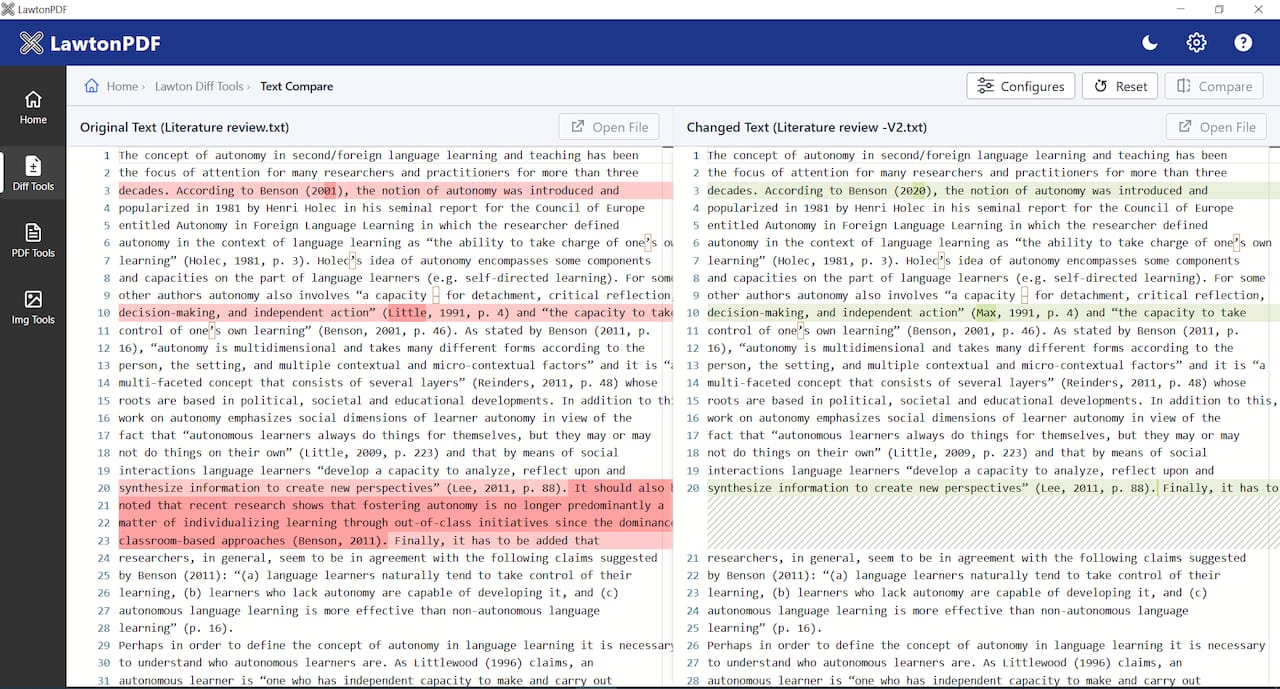
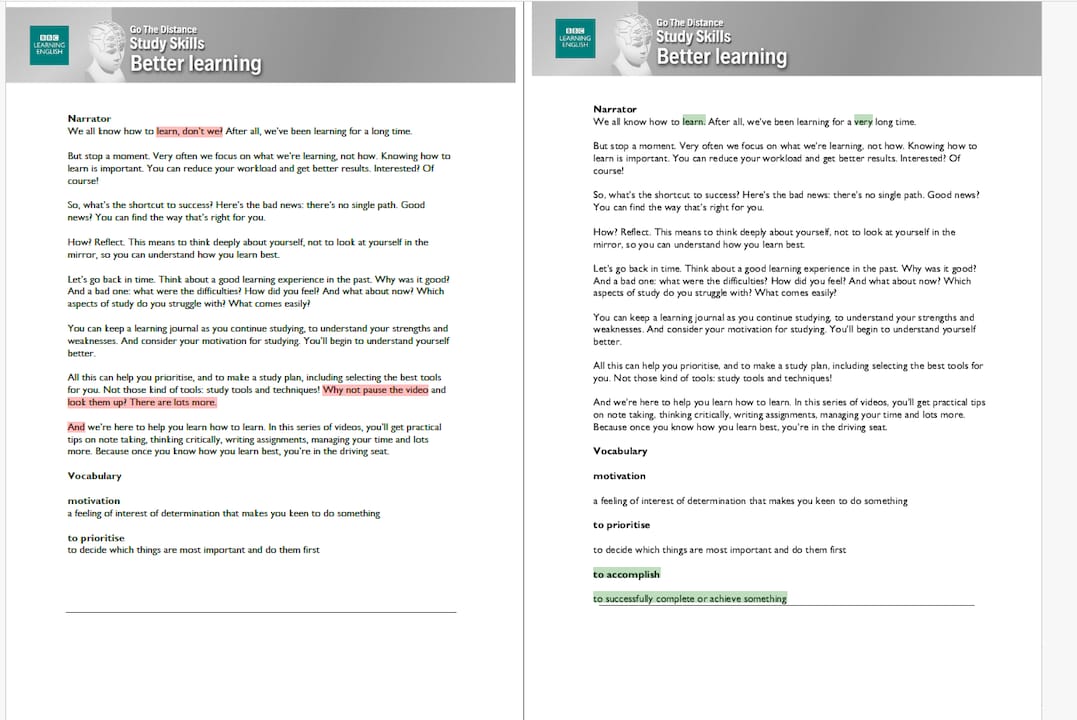
The screenshots above demonstrate LawtonPDF’s Text Compare feature, and PDF Compare feature.
Two versions of the same document are displayed side by side with synchronized scrolling. Differences are automatically highlighted, making revisions immediately visible. Users can quickly identify inserted, removed, or modified content without manually reviewing every page.
This workflow is particularly valuable for:
-
Legal contract revisions
-
Academic papers
-
Policy updates
-
Technical documentation
-
Regulatory submissions
-
Internal document reviews
PDF Tools
-
Merge and split PDFs
-
Organize and reorder pages
-
Extract pages
-
Rotate pages
-
Flatten PDFs
-
Add watermarks
-
Password protect PDFs
-
Unlock secured PDFs
-
Compress and optimize PDFs
Document Comparison
-
Side-by-side PDF comparison with highlighted changes
-
Text file comparison with line-by-line differences
-
Spreadsheet comparison for Excel files
-
Image comparison
-
Folder comparison for entire directory structures
Key Differentiator
Unlike many PDF solutions that rely on cloud processing, LawtonPDF performs every operation entirely on local hardware.
This means:
-
No document uploads
-
No third-party servers
-
No cloud storage dependencies
-
Greater control over confidential information
For organizations operating under strict compliance requirements, local execution significantly reduces external exposure while simplifying internal security policies.
Pros
Local processing provides strong privacy because files never leave your devices. The interface is straightforward, which shortens training time for staff who need to manage and review documents. Comparison tools handle varied file types and folder sets, which helps when you must reconcile edits across formats. Team controls let administrators apply permissions and centralized billing without opening a cloud account.
Cons
- Does not include browser-based editing or real-time collaborative editing
Who It’s For
LawtonPDF is well suited for organizations that handle confidential or regulated information, including:
-
Law firms
-
Government agencies
-
Healthcare providers
-
Financial institutions
-
Insurance companies
-
Engineering firms
-
Universities and research organizations
-
Compliance and audit teams
It is also an excellent choice for professionals who simply prefer keeping documents on their own computers rather than uploading them to online services.
Unique Value Proposition
LawtonPDF brings together secure offline document processing, professional PDF editing, and advanced comparison tools in a single Windows application. Rather than relying on cloud services, every comparison, merge, extraction, and document operation happens locally. Users gain enterprise-grade privacy while still benefiting from features normally associated with cloud platforms.
The integrated comparison engine supports PDFs, text files, images, spreadsheets, and folders, making LawtonPDF much more than a traditional PDF editor.
Real World Use Case
Instead of manually reviewing dozens of pages, the attorney opens both versions in LawtonPDF’s Text Compare tool. The application immediately highlights every modification, allowing the legal team to verify edits within minutes. Since all processing occurs locally, confidential client information never leaves the firm’s network, helping maintain compliance with internal security policies and client confidentiality requirements.
Website: https://lawtonpdf.com
Beyond Compare
At a Glance
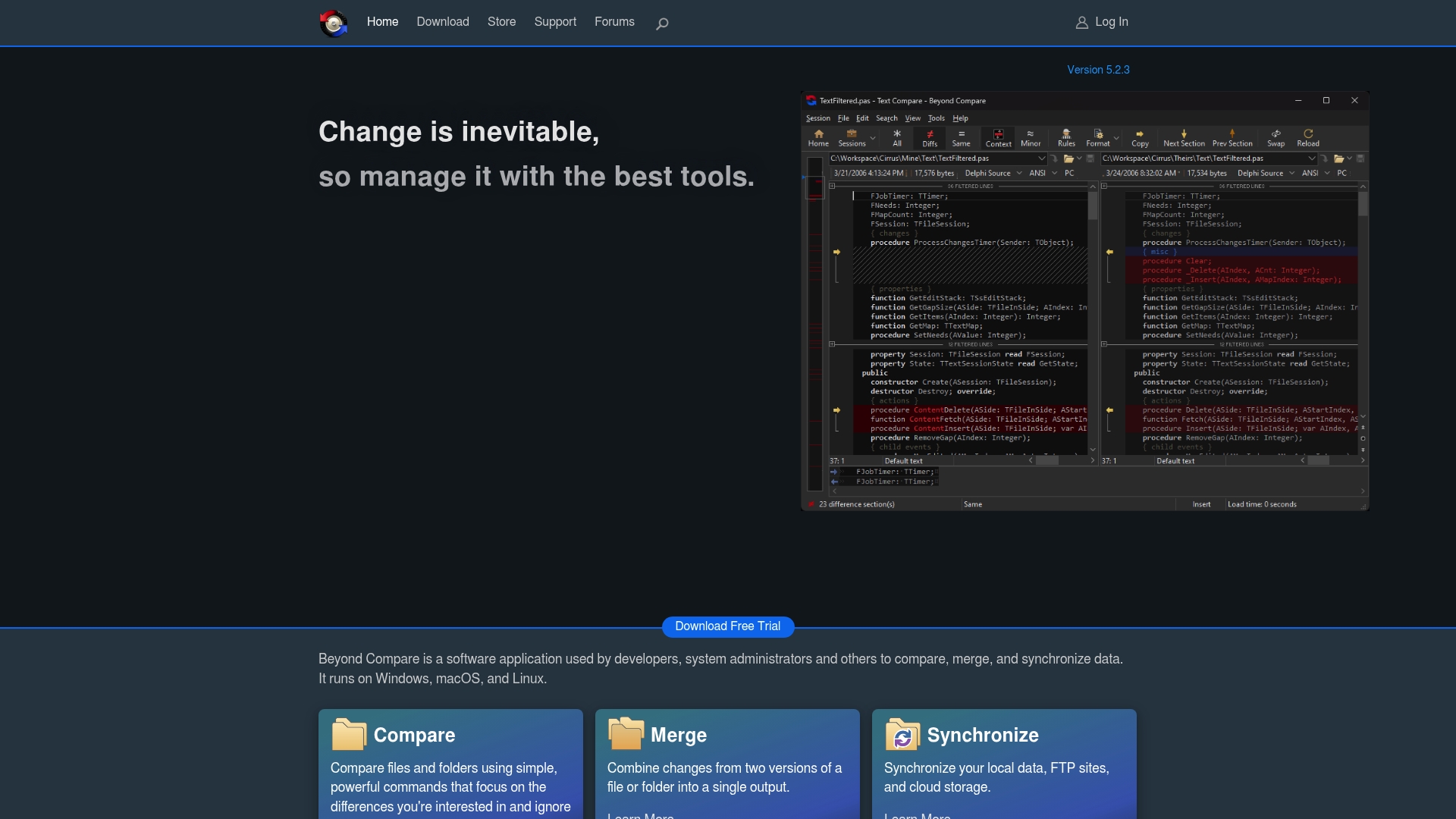
Beyond Compare version 5.2.3 adds a dark theme and word wrapping while preserving its long standing file and folder comparison engine. The app runs on Windows, macOS, and Linux and includes dedicated viewers for binary files and images. That combination makes it one of the few desktop tools that compares text, images, and binary data in one interface.
Core Features
Beyond Compare compares files and folders with focused, customizable commands and supports three way merge workflows for resolving conflicting edits. It synchronizes local data and remote sources such as FTP and cloud storage while offering syntax highlighting for common code and document types. The program includes specialized viewers for binary data and images so you can inspect non text files without leaving the app.
Key Differentiator
Beyond Compare stands out for its deep customization options and stable long term support. You can tune comparison rules down to whitespace handling, file masks, and comparison operators to match specific project needs. Those controls make the tool especially valuable when you need repeatable, auditable comparisons across mixed file sets and repositories.
Pros
Beyond Compare delivers excellent file and folder comparison capabilities with precise control over which differences matter. The powerful three way merge support eases branch merges for developers and keeps change history clear. Integration with version control systems and the ability to sync FTP and cloud storage make it useful for sysadmins managing distributed backups. The app is stable and benefits from ongoing maintenance and updates.
Cons
-
Text compare cannot ignore line breaks, limiting some fuzzy comparisons.
-
Support for niche or proprietary file formats is limited.
-
Image compare for JPEG files ignores XMP metadata, which can matter for photo management.
-
Linux support is less effective in the KDE environment.
When It May Not Fit
If your workflow depends on fuzzy text comparison that ignores line breaks, this tool will frustrate you. Teams that need broad support for proprietary file formats will find gaps. If you run a KDE based Linux desktop, some features may not behave as well as on other platforms.
Who It’s For
This product fits technical professionals, developers, and system administrators who need reliable comparison and merging tools. It suits people who manage code, run system audits, or synchronize multiple backups and cloud folders. Choose it when you need repeatable comparison rules and control over merge behavior.
Real World Use Case
A developer compares two branches, uses the three way merge to combine edits, and then synchronizes the resulting project folder to cloud storage. The syntax highlighting helps spot code regressions, and the image viewer lets the developer confirm visual assets did not change. The process reduces manual file checks when multiple team members work on the same repository.
Pricing
Not applicable for this review. The product data lists pricing as informational only and does not include specific licensing tiers or costs.
Website: https://scootersoftware.com
Draftable
At a Glance
The vendor advertises ISO 27001, SOC 2, and GDPR compliance for its document comparison services. Draftable targets legal teams and enterprises with SaaS, desktop, and API options. Its stack supports Word, PDF, PowerPoint, Excel, and plain text, including scanned PDFs and free text files.
Core Features
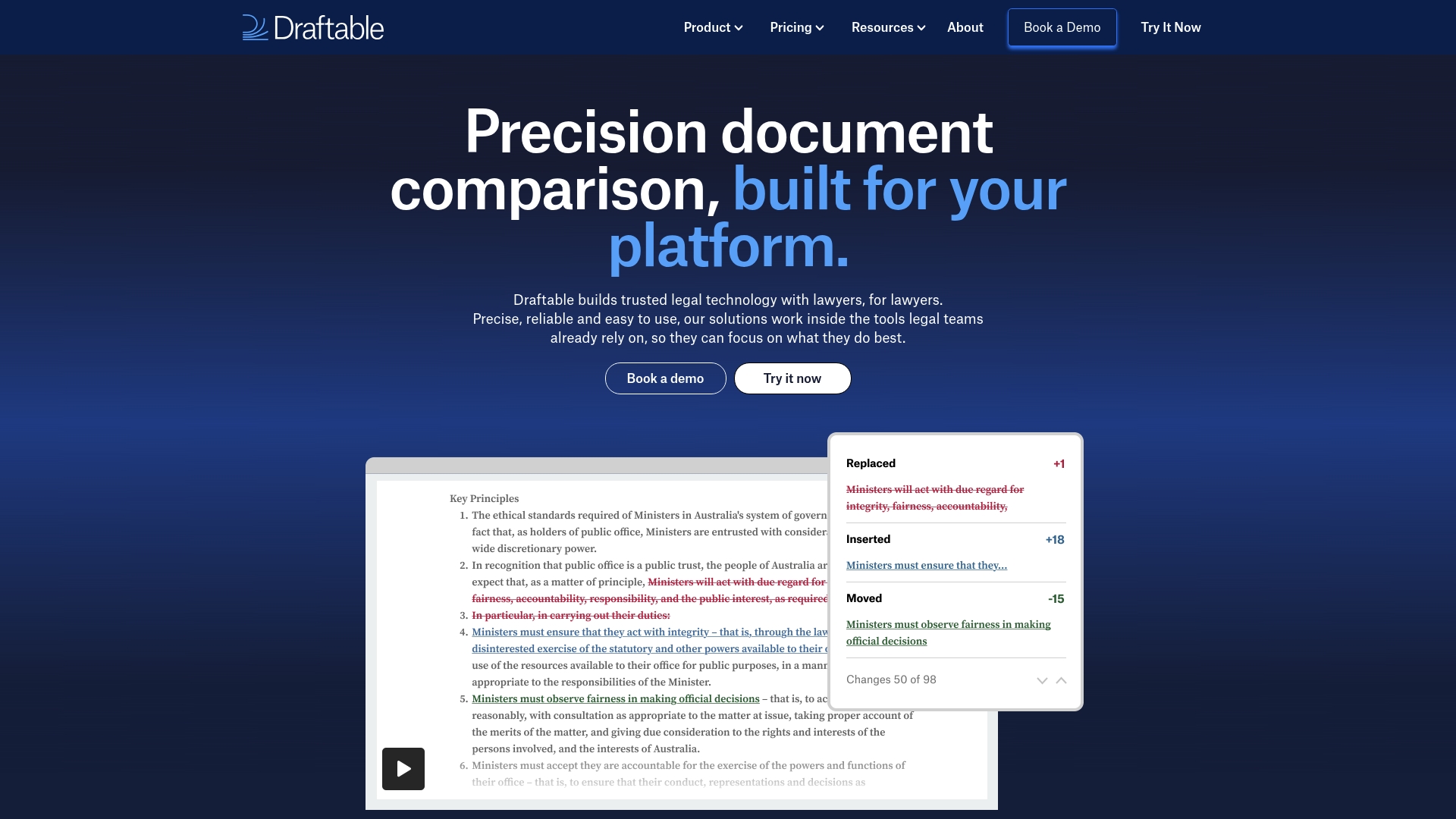
Draftable performs side by side document comparison and produces redline and tracked changes output that lawyers and reviewers expect. It automatically highlights differences and exports comparison reports to PDF, Word, Excel, PowerPoint, or text. Batch processing and connectors enable integration into document management systems and Microsoft Office workflows.
Key Differentiator
Built specifically for legal and enterprise workflows, Draftable focuses on complex documents and integrations while maintaining the vendor reported security standards. The product family includes a Legal offering aimed at contract and filing review and developer friendly APIs for automation. That combination suits environments with strict audit and compliance needs.
Pros
Draftable delivers fast and accurate comparison results, which speeds contract redlining and review cycles. It supports many file formats, including scanned PDFs and plain text, so you rarely need a separate OCR step. The tool integrates with Microsoft Office and popular DMS platforms, and the interface is designed for legal and enterprise review workflows. Those security certifications add confidence for teams handling sensitive documents.
Cons
-
Limited third party reviews exist, which makes it harder to gauge long term user satisfaction.
-
Pricing can be premium for smaller teams, which may push cost conscious buyers toward simpler tools.
-
Public feedback on usability outside legal contexts is scarce, so non legal workflows may require a trial.
When It May Not Fit
Draftable may not fit teams that need a free or very low cost comparison tool for occasional use. Small businesses with simple text or single format needs will likely find the pricing and feature set excessive. Organizations focused on creative or non legal collaboration may not benefit from the Legal oriented features.
Notable Integrations
Draftable connects directly with Microsoft Office applications and common enterprise DMS platforms. Integrations include:
-
Microsoft Office (Word, Outlook, Excel)
-
iManage
-
NetDocuments
-
SharePoint
-
Worldox
-
Epona 365
Who It’s For
Legal teams, law firms, corporate legal departments, and compliance groups that handle contracts, filings, and regulated documents. Enterprise reviewers who need automated comparison inside their DMS or Office ecosystem. Developers who require an API to embed document comparison into custom applications.
Real World Use Case
A law firm runs Draftable Legal to compare contract drafts and identify new clauses or deletions. Lawyers export a redline report and share it with clients for fast review. The firm reduces manual proofreading and catches changes before filing or signature.
Pricing
See individual product pages for detailed pricing. Typical plans start at approximately $10.75 USD per user/month for Business and $21.75 USD per user/month for Legal, billed annually.
Website: https://draftable.com
Diffchecker
At a Glance
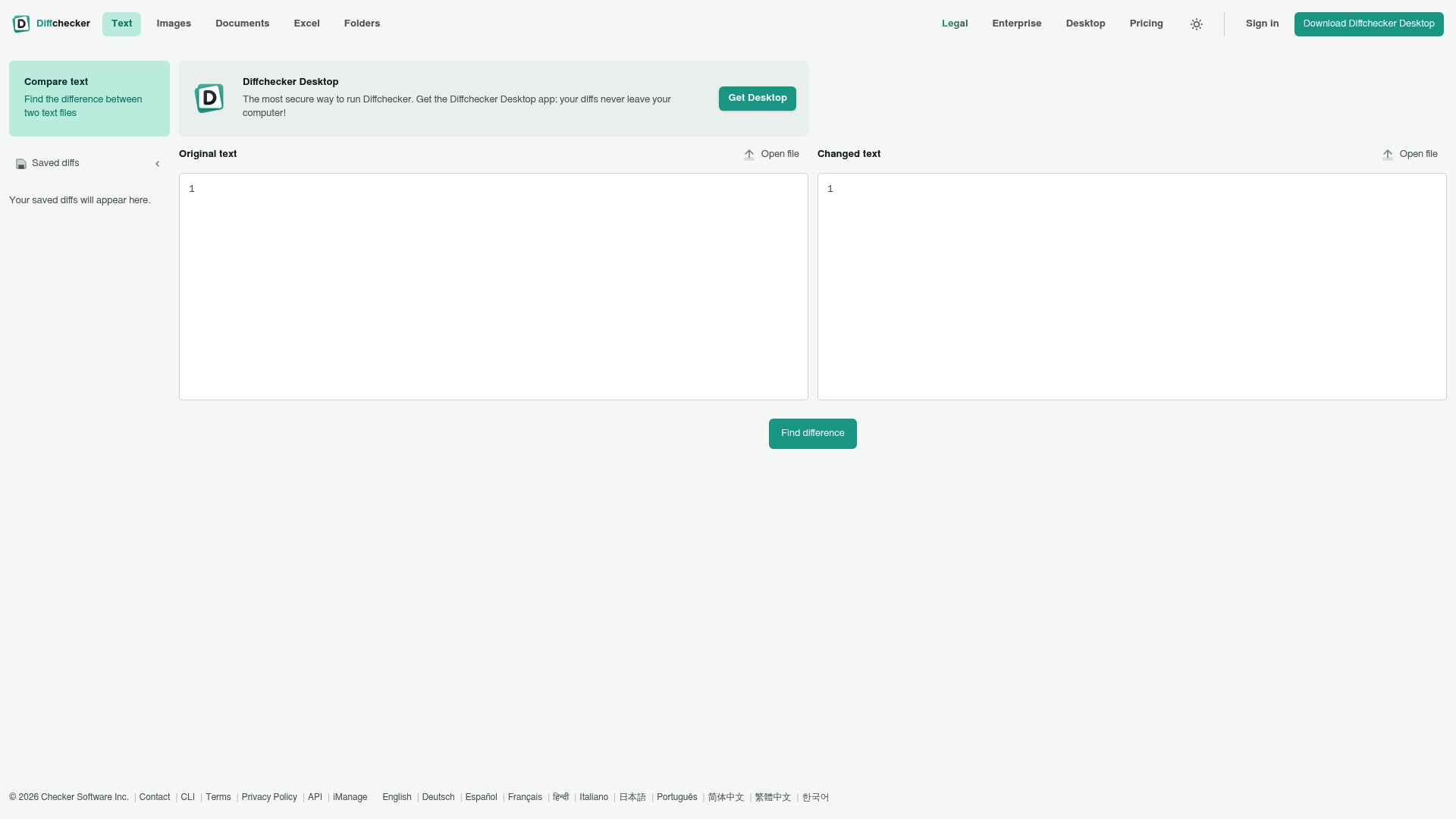
Supports PDF, Word, Excel, PPTX, images, and folders in a single comparison flow. The interface highlights character- and word-level differences so you can spot edits quickly. It offers both web and desktop clients, with offline processing available in the desktop app for added privacy.
Core Features
Diffchecker shows differences across text, images, documents, spreadsheets, and folders, and it highlights changes at both the character and word level for precision. The tool includes real-time comparison and team features for saving, sharing, and commenting on results, and it can export comparison results to PDF, Word, or image files. The desktop option lets you work offline and keep sensitive files on your machine.
Key Differentiator
Diffchecker combines online convenience with an offline desktop client and claims enterprise-grade security for customers that need it. That combination makes it practical for teams that must review documents in both connected and isolated environments. The breadth of supported file formats also reduces the need to switch tools when comparing mixed file types.
Pros
The interface is intuitive and keeps the comparison view uncluttered, which saves time when you review long documents. The comparison engine handles complex files reliably, and the visual diff view makes changes easy to interpret at a glance. Collaboration features let teams save comparisons, add comments, and share annotated results, while the desktop client adds a local, private option for sensitive reviews.
Cons
-
Some advanced comparison and automation features are locked behind paid plans, which limits what a free user can do.
-
Pricing tiers include desktop and enterprise features at higher cost, which may be a hurdle for small teams.
-
The product can struggle with files that exceed practical size limits, making very large data sets awkward to compare.
When It May Not Fit
If your workflow includes very large data sets or multi-gigabyte files, this tool may slow down or fail to load those comparisons. Teams that need built-in redlining, scripted automation, or bulk processing at scale will find many advanced features restricted to paid plans. Organizations requiring heavy automation should evaluate whether paid tiers include the exact redlining and export workflows they need.
Who It’s For
Legal teams, contract reviewers, and compliance professionals who need precise redlines across multiple formats will find this useful. Developers and analysts who compare code, API responses, or spreadsheets will benefit from the character- and word-level detail. Creative teams managing image and design versioning can use the visual diff alongside document checks.
Real World Use Case
A legal team compares successive contract drafts to produce clean redlines for a client. They open two Word versions, review highlighted edits, add comments to specific changes, and export a PDF report for the client. The desktop client lets them run the same review without uploading confidential files to a web server.
Website: https://diffchecker.com
Comparison of alternatives
When evaluating document comparison tools, the decision often hinges on privacy and versatility, with LawtonPDF offering local data processing capabilities. Other tools deliver comparison features or broaden integration options, providing flexibility aimed at different user needs.
Privacy and Processing Environments
LawtonPDF excels in offering a completely offline operation, which ensures data privacy by maintaining file processing within local hardware. This feature makes it an ideal choice for sensitive file management. Diffchecker provides a blend of online convenience and offline options, but its privacy safeguards rely heavily on tiered paid features, potentially falling short for teams requiring strict offline control.
Integration Versatility
Draftable stands out due to its integration with popular applications like Microsoft Office and enterprise Document Management Systems (DMS), making workflows smooth within corporate ecosystems. These connections enhance productivity for firms requiring interaction with existing tools. In contrast, other options like Beyond Compare and LawtonPDF focus their attention on direct work within the application environment, delivering control with fewer supported integrations.
Best fit
-
High-security requirement for offline processing: Choose LawtonPDF for working with highly sensitive documents without involving cloud systems.
-
Regular use of enterprise integrations: Select Draftable, leveraging its broad compatibility with office suites and DMS platforms.
-
Need for deep customization in comparisons: Pick Beyond Compare for its precise comparison rules tailored to technical workflows.
-
Mixed offline and cloud review workflows: Explore Diffchecker, where hybrid functionality matches variable privacy needs.
Our pick
LawtonPDF’s offline-first design and document comparison tools establish it as the preferred solution for organizations that prioritize data privacy and file security while maintaining efficient team administration workflows. This focus on local processing ensures that sensitive documents remain within controlled environments, a critical advantage for legal, financial, and research teams handling confidential materials.
The following table compares prominent document comparison tools to help you select the one that fits your specific needs.
| Product | Core Feature | Key Differentiator | Best For | Notable Limitation |
|---|---|---|---|---|
| LawtonPDF | Local PDF processing and comparison and redlining | Operates exclusively on local hardware | Teams with strict data privacy requirements | Limited to local processing, no cloud integration |
| Beyond Compare | File and folder comparison | Advanced customization for comparisons | Developers and system administrators | Cannot ignore line breaks in text comparison |
| Draftable | Document comparison and redlining | Focused on legal and enterprise workflows | Legal and compliance teams | High costs for small teams |
| Diffchecker | Wide format support | Offline desktop client available | Creative teams and analysts | Limited features in free version |
Balancing Privacy and Powerful Document Comparison Challenges
Many legal, financial, and research teams face the challenge of comparing complex documents without risking sensitive data exposure. WinMerge alternatives often rely on cloud processing, which can feel frustrating or risky when handling confidential files. Lawtonpdf addresses these concerns by running all operations locally on your Windows machine. That approach keeps your documents private and secure while supporting PDFs, Word files, images, spreadsheets, and folders.
If you manage highly sensitive content, consider Lawtonpdf to compare and organize your files safely. Visit Lawtonpdf to explore features like merging, watermarking, and side-by-side comparison. Start protecting your document workflow today with a solution that respects your privacy and simplifies review.
FAQ
What document comparison capabilities does LawtonPDF offer?
LawtonPDF provides essential document comparison features like merging, splitting, and applying watermarks. Its local processing ensures that sensitive files never leave your machines, maintaining high privacy standards. Consider this capability when handling confidential documents where data security is paramount.
How does LawtonPDF compare to Beyond Compare for team collaboration?
Beyond Compare excels in deep customization options and supports three-way merging, making it ideal for development teams managing code. LawtonPDF, with its local processing and strong document handling, is more suitable for organizations that prioritize strict data control and privacy. This makes LawtonPDF a better fit for teams needing secure environments over extensive customization.
Can LawtonPDF handle side-by-side comparisons of text files?
Yes, LawtonPDF supports side-by-side comparisons alongside PDFs and images, which is a key feature for users needing to spot content differences effectively. The tool’s ability to compare various file types allows for efficient document review processes. This can significantly enhance your workflow when dealing with multi-format document revisions.
What advantages does LawtonPDF have for legal teams over Draftable?
LawtonPDF operates entirely on local hardware, making it a strong choice for legal teams concerned about security and compliance requirements. Draftable, while offering excellent comparison tools, may require cloud interaction. Thus, LawtonPDF can better serve legal teams needing offline document control.
Does LawtonPDF support team administration features?
Yes, LawtonPDF includes team administration features that allow for centralized billing and access controls. This is beneficial for organizations managing multiple users, as it simplifies permission management while keeping your documents secure. Consider this if your organization will have several users accessing sensitive documents.