
Air gapped document processing, in the sense that matters for your practice, means running every OCR pass, comparison, and extraction locally on your Windows machine with zero cloud calls. Nothing leaves the device. The practical fix is straightforward: install a desktop-first tool that keeps files, indexes, and comparison results on your own drive. LawtonPDF is built around exactly that model.
TL;DR:
- Only fully local processing tools can ensure confidential files never leave the device, with OCR, comparison, and extraction all running on your Windows machine.
- Support across multiple file types, including PDFs, DOCX, images, spreadsheets, and folder comparisons, is essential for comprehensive legal and financial workflows.
- Confirm that OCR engines and algorithms operate entirely on-device without cloud calls, and verify options for exportable manifests and local encryption for auditability.
- Maintain strict workflow security by disabling cloud sync, background indexing, and network calls, along with cryptographic shredding for deletion on SSDs.
- Regularly test your setup by running a full pipeline with the network disconnected to ensure no process depends on external servers or cloud-based APIs.
Table of Contents
- What Does Air Gapped Document Processing Mean in Practice?
- Core Features to Require From a Local Windows Solution
- Security and Compliance Controls for Regulated Teams
- How to Set Up an Air Gapped Windows Workflow
- Operational Tradeoffs, Limitations, and Best Practices
- Why Lawtonpdf Recommends Local-First Processing
- How LawtonPDF Handles Air Gapped Document Processing
- Sources
- FAQ
What Does Air Gapped Document Processing Mean in Practice?
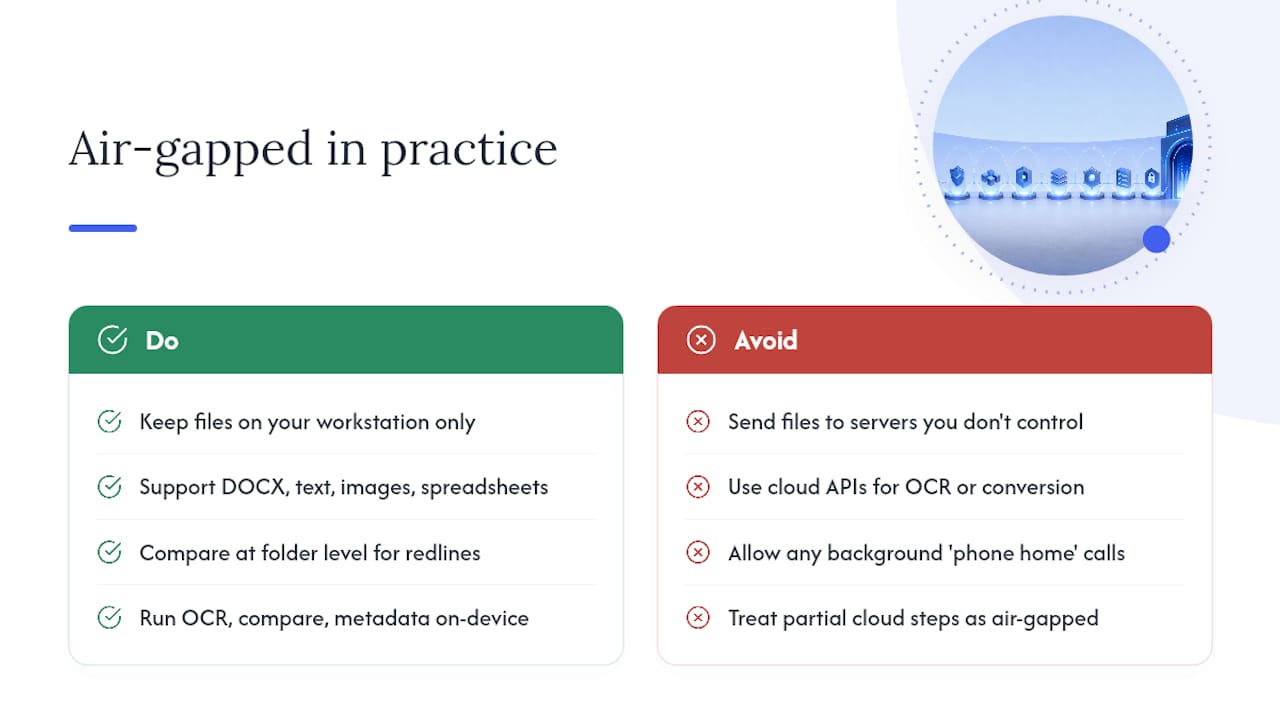
Forget the network security definition you might find elsewhere. In this context, air gapped document processing simply means your files never touch a server you don't control. Every OCR scan, every diff, every metadata read happens on your Windows workstation, full stop.
A genuinely local tool needs to handle more than PDFs. Look for support across DOCX, plain text, images, spreadsheets, and full folder comparisons, since legal discovery and financial audits rarely involve a single file type. Folder-level compare matters especially for contract redlines spanning dozens of documents at once.
The boundary that separates real local processing from marketing language is narrow. OCR engines, comparison algorithms, and metadata extraction all have to run on-device, with no background call to a cloud API for "enhanced" recognition or format conversion. If a tool phones home for any part of that pipeline, even briefly, that's a leak. Confidential data processing only counts as air gapped when the entire chain, ingestion through export, stays on the machine.
Core Features to Require From a Local Windows Solution
Not every desktop PDF tool that claims offline capability actually keeps every operation local. Before you commit to a solution for sensitive document handling, confirm it covers this list:
- Text-level diff and OCR-aware PDF comparison that flags substantive changes, not just formatting noise.
- Image and spreadsheet comparison, since financial models and scanned exhibits need the same rigor as contracts.
- Folder-level comparison for batch review across large document sets.
- Local OCR and extraction engines with no cloud OCR calls, plus batch processing for repetitive review work, are detailed in the AI Document Analyzer: Chat With Your Documents | AmmarAI resource.
- Exportable manifests and hashes so you can prove what was compared and when.
- Local encryption at rest, ideally with database-level options like SQLCipher, backed by OS key storage and audit logging suitable for DSAR requests.
A tool like LawtonPDF's comparison suite can check most of these boxes for teams doing document-heavy review work.
Security and Compliance Controls for Regulated Teams
Local-only processing isn't automatically compliant. You still have to map where data moves, prove it, and be ready to produce records on demand.
Start by auditing the data boundary. Trace every point where your document tools could reach a network, from update checks to telemetry pings, and confirm each one can be switched off. Local inference removes the biggest privacy risk, prompt data leaving your device, but the artifacts it creates locally, like model caches and RAG stores, remain high-value targets that still need encryption and access controls.
For teams handling deletion requests under CCPA or CPRA, cryptographic shredding is the practical answer for SSDs, where standard file deletion often leaves recoverable remnants. Destroy the encryption key and the data becomes mathematically unrecoverable. Store that key separately in Windows Credential Manager, never alongside the encrypted database itself.
Your compliance checklist should include:
- On-device DSAR export as structured JSON or CSV, paired with a manifest.sha256 for verification.
- Local consent persistence recorded at first launch, not assumed.
- Telemetry that defaults to opt-out, with the sync or relay architecture documented as zero-knowledge if any exists.
- Written mapping of ingest, processing, review, and storage stages, each with a named control owner.
For healthcare organizations, HIPAA considerations layer on top of this. If any part of your workflow ever touches a cloud service, even for a backup, contractual protections like a BAA or DPA still apply, and environment segmentation becomes non-negotiable.
How to Set Up an Air Gapped Windows Workflow
Getting your workstation genuinely local-only takes more than installing one app. Follow these steps in order:
- Harden the workstation first. Turn on BitLocker for full-disk encryption, separate admin accounts from daily-use accounts, keep Windows updates current, and strip unnecessary admin rights from standard users.
- Install your local OCR and comparison software. Confirm during setup that no OCR job or comparison routine calls out to a remote API, even for accuracy improvements.
- Choose storage locations on encrypted volumes. Point document folders, temp files, and comparison outputs to a BitLocker-protected drive, not the default unencrypted user directory.
- Manage encryption keys through the OS key store. Windows Credential Manager keeps keys separate from the data files they protect, which is the entire point of the exercise.
- Implement secure deletion. Set a retention policy and use cryptographic shredding rather than relying on standard delete, especially on SSDs.
- Disable cloud sync and background indexing. OneDrive folder redirection and Windows Search indexing both quietly duplicate file content outside your control zone; turn both off for sensitive folders.
- Configure batch jobs and exports. Set up manifest generation for every comparison run so you have a hash-verified audit trail ready before anyone asks for one.
Pro Tip: Run a test file through your entire pipeline, ingestion to export, with your network adapter disabled. If the tool still completes every step without errors, you've confirmed it's genuinely local.
Operational Tradeoffs, Limitations, and Best Practices
Local-only processing is strong on control and weaker on convenience. Know both sides before you commit a team to it.
Local OCR and comparison handle most contract review, financial statement audits, and clinical document workflows without issue. Hybrid setups, local processing with a tightly controlled cloud layer, make more sense only when you need capabilities no local engine offers and you've already secured contractual coverage for that cloud touchpoint.
Team collaboration is the real friction point. Local-only tools don't sync automatically, so version control across a team needs a deliberate process, shared drive conventions, naming standards, and a versioning discipline that a cloud tool would otherwise handle for you.
Local processing protects against network exposure and third-party access, not against a stolen or compromised laptop. That's a device-security problem, not a document-processing one.
- Schedule regular exports and manifest generation, don't wait for an audit request.
- Keep retention windows short and documented.
- Write an incident playbook before you need one, not during.
Pro Tip: Treat your export manifest like a chain-of-custody log. If you can't produce one on request, your air gapped setup isn't actually auditable, it's just private.
Why Lawtonpdf Recommends Local-First Processing
Lawton has covered secure document handling extensively, including offline PDF sharing for regulated teams and centralized administration for legal teams managing sensitive files at scale.
Some tools are built as privacy-focused Windows applications where every comparison, OCR pass, and PDF operation runs locally, with no upload step at any point in the process. That's not a feature bolted on for marketing. It's the architecture.
For teams weighing local against cloud workflows, the on-premise versus cloud security comparison on Lawtonpdf's blog walks through the tradeoffs in more depth than a feature list can.
— Lawton
How LawtonPDF Handles Air Gapped Document Processing
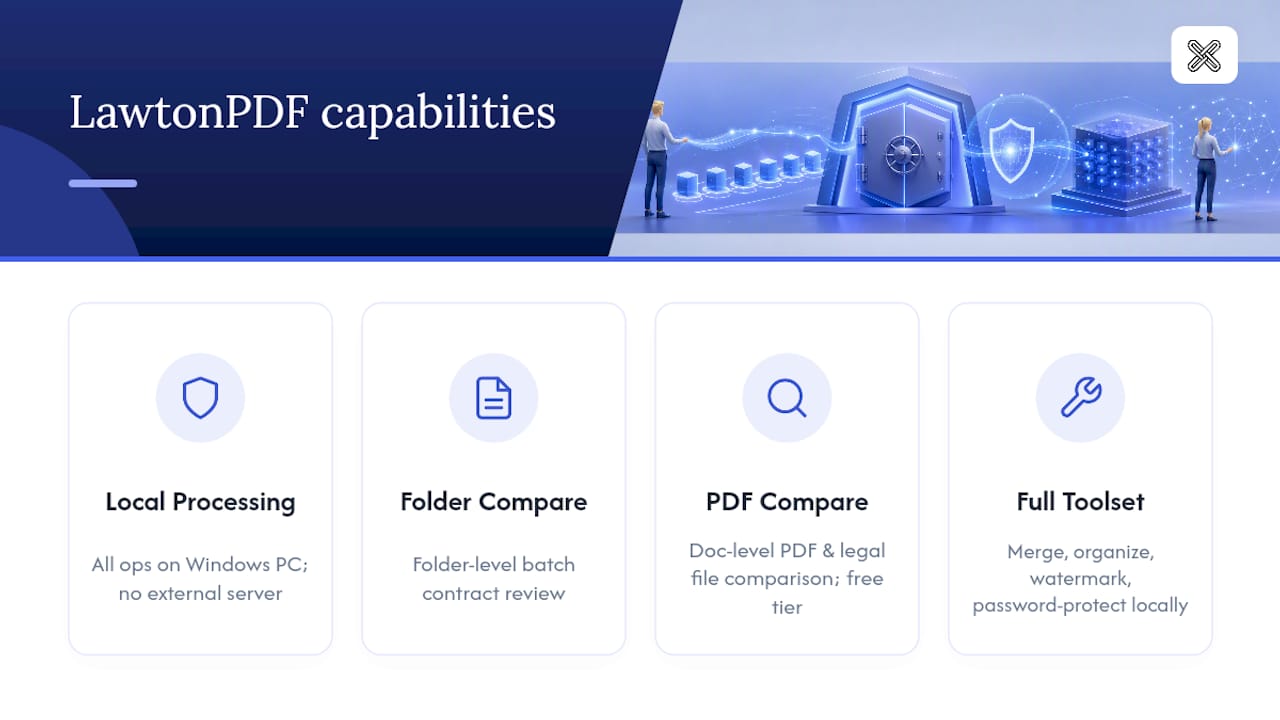
Certain software provides local PDF and document comparison across text, images, spreadsheets, and full folders, with every operation completed on your own Windows machine and nothing routed through a server you don't control.
The tool maps closely to what this article recommends. Folder-level comparison for batch contract review lives at LawtonPDF's folder compare tool, while document-level PDF and legal file comparison runs through the PDF comparison tool. Beyond comparison, the full document and PDF toolset covers merging, organizing, watermarking, and password protection, all processed locally.
A free tier is available if you want to test the comparison workflow on your own files before committing a team to it. Start with the PDF comparison tool and run a real document through it. You'll know within minutes whether it fits your review process.
Sources
For deeper technical grounding beyond this article, these sources cover the compliance and architecture questions in more detail:
- CCPA Compliance Checklist for Self-Hosted Apps (2026)
- Local AI for privacy — what you actually get (May 2026) | RunLocalAI
- Mapping legal exposure when AI accesses digitally signed med
FAQ
What Does "Air Gapped" Mean for Document Processing Software?
In this context, it means every OCR, comparison, and extraction step runs on your Windows device with no cloud calls, not the network security practice of physically isolating machines.
Does Local-Only Processing Satisfy CCPA or CPRA Requirements?
Local processing helps, but you still need on-device DSAR export workflows and cryptographic deletion to meet access and deletion obligations.
Can Local Tools Handle HIPAA-Regulated Documents?
Local processing reduces exposure, but if any cloud touchpoint exists in your workflow, you still need contractual protections like a BAA covering that specific interaction.
What File Types Should a Local Comparison Tool Support?
At minimum, expect PDF, Word documents, plain text, images, spreadsheets, and folder-level comparison. LawtonPDF covers all of these locally through its comparison tools.
Is Local Processing Enough to Protect Against All Threats?
No. Local processing protects against network exposure and third-party access, but it does nothing against a stolen or compromised device, which requires separate endpoint security measures.