
TL;DR:
- On-premises deployment offers maximum control and security for sensitive documents by keeping data offline and within your physical infrastructure. Cloud services provide easier operational management and better default security but introduce external attack vectors and dependency risks. Choosing the right approach depends on your organization's regulatory needs, internal expertise, and commitment to disciplined security practices.
For organizations handling sensitive documents, on-premises deployment is the stronger security choice when your priority is zero cloud exposure and full control over your data. Local-first processing eliminates the external attack surface entirely, meaning your files never travel to a third-party server. Lawtonpdf is built on exactly this principle: all document processing stays on your machine. That said, NIST and the NCSC both emphasize that governance maturity determines security outcomes more than deployment type alone, so on-prem is only the right answer when your team has the discipline to maintain it.
Table of Contents
- How does on premise vs cloud security compare for document management?
- When is on-prem the right security choice?
- When does cloud security give you better protection?
- What are the real operational costs of secure on-prem document systems?
- How do you secure an on-prem document management deployment?
- How does deployment choice affect HIPAA, CCPA/CPRA, and contract compliance?
- Should you choose on-prem or cloud? A quick decision checklist
- Lawtonpdf keeps your documents off the cloud by design
- Key Takeaways
- Why local-first still matters more than most guides admit
- Useful sources and further reading
- Lawtonpdf: the local-first document tool for security-conscious teams
- FAQ
How does on premise vs cloud security compare for document management?
The table below maps each security dimension to what it looks like in practice for both models.
| Security dimension | On-premises | Cloud |
|---|---|---|
| Control over data and encryption keys | Internal key management; full custody | Provider-managed or shared key services |
| Attack surface / external exposure | Minimal; no continuous external transmission | Broader; data traverses provider infrastructure |
| Operational burden | Fully in-house: patching, monitoring, backups | Provider absorbs infrastructure-level tasks |
| Authentication and centralized access | Manual IAM; depends on internal tooling | Centralized auth, SSO, federated identity built in |
| Logging, SIEM, and forensic readiness | Requires dedicated on-prem SIEM setup | Managed logging and SIEM often included |
| Scalability and availability | Hardware-bound; geo-redundancy is expensive | Elastic scaling; multi-region redundancy standard |
| Cost / TCO | High upfront capex; ongoing labor costs | Opex model; lower upfront, variable ongoing spend |
| Compliance fit (HIPAA, CCPA/CPRA) | Easier to demonstrate local custody and residency | Provider certifications assist; BAAs available |
| Implementation time | Weeks to months (procurement, install, config) | Days to weeks (provisioning, configuration) |
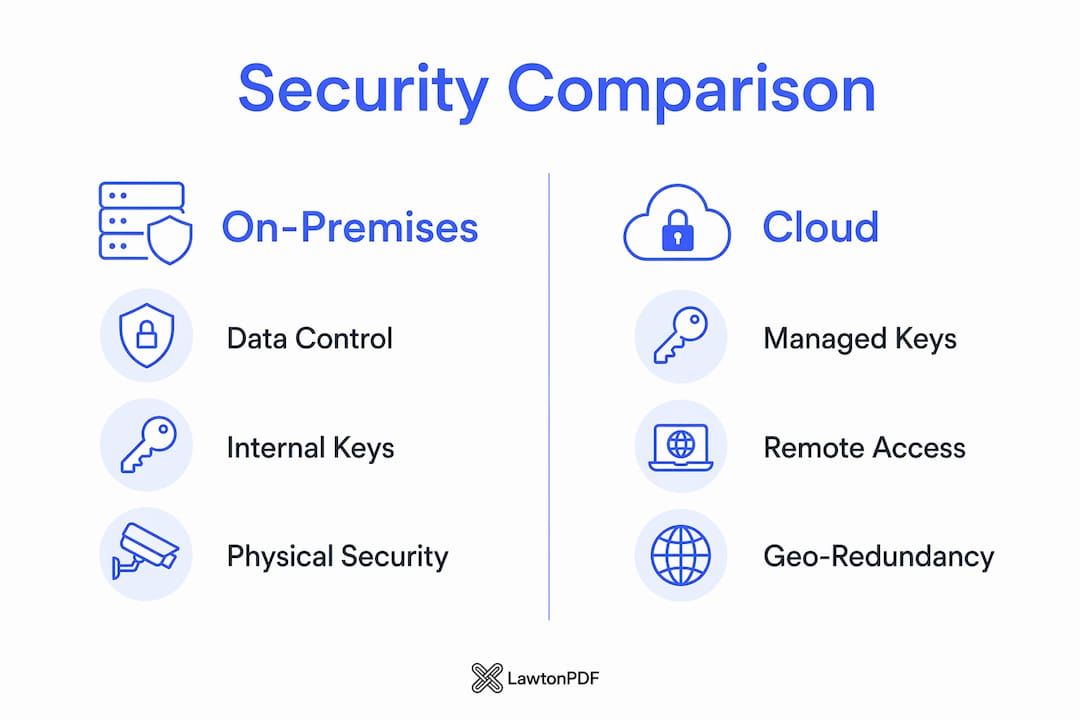
The most consequential trade-offs come down to three points. First, local-first processing removes the cloud synchronization channel and the third-party processing attack surface entirely. Second, the NCSC notes that cloud services commoditize expensive controls like hardware security modules, making them accessible to organizations that cannot afford them on-prem. Third, on-prem security is only as strong as your team's patching and configuration discipline.
When is on-prem the right security choice?
On-premises is the right model when your data cannot leave your physical control. Specific scenarios where it fits best:
- Proprietary IP and R&D documents. Law firms, engineering firms, and pharmaceutical companies with trade secrets that contractually cannot be processed by a third party.
- Regulated healthcare workloads. HIPAA-covered entities handling protected health information (PHI) where local custody simplifies audit trails and BAA obligations.
- Federal and state government. Agencies with data residency requirements or FedRAMP-equivalent mandates that restrict cloud hosting.
- Air-gapped evidence workflows. Legal and forensic teams that must prove a document was never transmitted externally.
- Legacy systems. Manufacturing and finance environments where bespoke configurations or older software are incompatible with cloud migration.
The prerequisite for all of these: a skilled internal IT or security team, a budget for physical security controls, and a documented patching schedule. Without those, on-prem becomes a liability rather than an asset.
When does cloud security give you better protection?
Cloud is the stronger security choice in several common scenarios. Small teams without a dedicated security operations function benefit most. A well-configured cloud service delivers centralized authentication, automated patch management, and managed logging that would cost far more to replicate internally. The NCSC's guidance is direct: cloud services can offer better default security and resilience than many organizations can achieve on their own hardware.
Cloud also wins for workloads that need geo-redundant disaster recovery, elastic scaling, or real-time SIEM integration. A secure AWS landing zone with Control Tower, for example, gives teams centralized guardrails and federated CI/CD authentication that would take months to build on-prem.
One caution: cloud is not a set-and-forget guarantee. The shared responsibility model means your team still owns data classification, access controls, and configuration. Misconfigured storage buckets and overly permissive IAM roles are among the most common breach vectors in cloud environments today.
What are the real operational costs of secure on-prem document systems?
| Responsibility | On-premises owner | Cloud owner |
|---|---|---|
| Physical security (badges, cameras, server room) | Internal team | Cloud provider |
| Hardware lifecycle and refresh | Internal team | Cloud provider |
| OS and software patching | Internal team | Shared / provider-managed |
| Backup and disaster recovery | Internal team | Shared / provider-managed |
| Monitoring and incident response | Internal team | Shared / provider tooling |
| Vulnerability scanning and auditing | Internal team | Shared / provider tooling |

The hidden costs are where on-prem budgets break down. Organizations commonly underestimate the ongoing labor for physical security systems, staff training, and manual patching cycles. On-prem is a capex model with heavy upfront hardware spend and continuous opex for staffing. Cloud flips this to a predictable opex subscription, though costs can escalate with overprovisioned instances.
Implementation timelines differ significantly. On-prem procurement, rack installation, OS hardening, and security baseline configuration typically runs four to twelve weeks. Cloud provisioning and configuration can be completed in days to a few weeks. For teams evaluating managed services to offset the operational burden, hybrid approaches are increasingly common: sensitive document processing stays on-prem while collaboration and backup workloads move to cloud.
Lock-in risk runs both ways. On-prem gives you full data portability but ties you to hardware refresh cycles. Cloud providers can create dependency through proprietary tooling, making migration costly if you need to exit.
How do you secure an on-prem document management deployment?
Must-have controls (deploy before going live):
- Enable full-disk encryption (BitLocker on Windows) and file-level encryption with keys stored locally, never on a cloud key management service.
- Harden the OS image: disable unused services, apply CIS Benchmarks, and remove default credentials.
- Segment the document server onto a dedicated VLAN, isolated from general user traffic.
- Enforce least-privilege access: users get read/write only to the folders their role requires.
- Require MFA for all administrator accounts.
- Deploy EDR on every endpoint that accesses document storage.
Should-have controls (implement within 30 days):
- Automate patch deployment with a tool like WSUS or a third-party patch management platform.
- Forward all system and access logs to an on-prem SIEM or a secure, write-once log vault.
- Run quarterly vulnerability scans with a tool like Nessus or OpenVAS.
- Maintain encrypted backups with at least one offline copy tested monthly.
- Document an incident response runbook specific to your document management environment.
Can-have controls (add as resources allow):
- Implement physical air-gap procedures for the most sensitive workstations.
- Add hardware redundancy (RAID, UPS, failover server) for availability.
- Conduct annual tabletop exercises and periodic red-team assessments.
Pro Tip: Test your backup restores before you need them. A backup that has never been restored is an assumption, not a guarantee. Schedule a full restore drill quarterly and document the result.
A critical warning: air-gapping alone is not sufficient. Insider threats and physical compromise can bypass local storage guarantees if endpoint security and access controls are missing. Treat local-first as one layer of defense-in-depth, not the whole strategy.
How does deployment choice affect HIPAA, CCPA/CPRA, and contract compliance?
HIPAA. On-prem gives covered entities direct control over PHI storage and audit trails, which simplifies demonstrating compliance. Cloud hosting is permissible under HIPAA but requires a signed Business Associate Agreement (BAA) with the provider. Either way, your access logs, encryption proof, and key custody documentation must be audit-ready.
CCPA/CPRA. California's privacy law requires you to respond to data subject access and deletion requests. On-prem deployments make it easier to locate and delete specific records without depending on a vendor's data export tools. Cloud providers offer compliance certifications (SOC 2, ISO 27001) that can assist your posture, but the obligation to fulfill consumer rights requests remains yours.
Contractual obligations. Many enterprise and government contracts explicitly prohibit third-party processing of documents. On-prem is the only model that satisfies a "data never leaves our control" contractual clause. For audit readiness on-prem, maintain immutable logs, documented access reviews conducted at least quarterly, proof of encryption at rest and in transit, and a schedule for third-party security assessments.
This article is general information, not legal or compliance advice. Confirm your specific obligations with a qualified attorney or compliance professional.
Should you choose on-prem or cloud? A quick decision checklist
Choose on-prem if you answer yes to any of these:
- Do you handle proprietary IP, classified R&D, or documents covered by a no-third-party-processing contract?
- Does your regulatory environment (HIPAA, state data residency law) require local custody?
- Do you have a dedicated IT or security team with patching and monitoring capacity?
- Is local key custody a hard requirement?
Choose cloud if you answer yes to any of these:
- Does your team lack a security operations function or dedicated IT staff?
- Do you need elastic scaling, geo-redundant disaster recovery, or managed SIEM?
- Are your workloads non-sensitive and not subject to data residency restrictions?
Red flags that should push you away from on-prem: no documented patching schedule, backups that have never been tested, no physical access controls on the server room, or a team that cannot staff 24/7 monitoring.
Red flags that should push you away from cloud: a contract that prohibits third-party processing, a mandatory local-only storage law in your jurisdiction, or a regulatory requirement for physical key custody.
Next steps for on-prem teams: complete hardware procurement, run a security baseline audit against CIS Benchmarks, pilot with a small document set, then expand.
Lawtonpdf keeps your documents off the cloud by design
If on-prem is the right call for your team, Lawtonpdf is built for exactly this workflow. Every file you process stays on your machine. No cloud sync, no external server, no third-party processing.
Here is what that means in practice:
- Local processing only. Compare PDFs, Word documents, spreadsheets, images, and folders entirely on your Windows machine.
- Full file control. Merge, split, extract, rotate, flatten, watermark, password-protect, and unlock PDFs without sending a single byte to a cloud service.
- Team and license administration. Manage users and licenses locally, supporting the least-privilege and access control requirements from the checklist above.
- Audit-capable workflow. Because processing is local, your document handling stays within your own logging and monitoring perimeter.
The free limited version lets you test the workflow before committing. When you are ready to deploy across a team, see the full PDF tools and review licensing options for per-user pricing that fits individual, small team, and business deployments.
Key Takeaways
On-premises deployment is the right security choice for organizations that handle sensitive documents and can maintain the governance discipline it requires.
| Point | Details |
|---|---|
| On-prem wins on data control | Local-first processing eliminates the cloud attack surface and keeps encryption keys in your custody. |
| Cloud wins on operational ease | Cloud providers absorb patching, logging, and hardware lifecycle tasks that on-prem teams must handle themselves. |
| Governance determines outcomes | Security success depends on patching discipline, access controls, and staffing, not deployment type alone. |
| Top three on-prem controls | Encrypt at rest with local keys, enforce least-privilege access, and automate patch deployment before going live. |
| Lawtonpdf for local-first teams | Lawtonpdf processes all documents locally on Windows with no cloud sync, fitting directly into an on-prem security model. |
Why local-first still matters more than most guides admit
The mainstream security conversation has shifted heavily toward cloud, and for good reason. But the framing often glosses over a real problem: when a document leaves your machine to be processed by a third-party service, you have created a data exposure event, even if that service is reputable and encrypted. For organizations handling client contracts, legal evidence, or proprietary designs, that exposure is not a theoretical risk. It is a contractual and regulatory liability.
Lawtonpdf was built to close that gap. The premise is simple: the most secure document workflow is one where the document never leaves the device. No sync, no upload, no API call to an external server. That is not a limitation of the product. It is the point.
The tools that matter most for this audience are not the ones with the most cloud integrations. They are the ones that give you full control and leave no external footprint.
Useful sources and further reading
- NCSC: Security benefits of a good cloud service — The foundational white paper explaining how well-configured cloud services can deliver security controls that many organizations cannot replicate on-prem. Essential reading for the cloud security benefits section.
- International Security Journal: On Premise vs Cloud Security — CISO-level analysis emphasizing governance maturity as the primary security determinant, with practical cost and operational context.
- SentinelOne: Cloud vs On-Premise Security — Vendor-neutral breakdown of the operational burden shift between on-prem and cloud, with a focus on patching and monitoring responsibilities.
- Huntress: What Is On-Prem Security and Why It Still Matters — Practical guidance on regulated industries and legacy environments where on-prem remains the required choice.
- OPSWAT: Cloud vs On-Premise Security — Analysis of common on-prem pitfalls, particularly unpatched and misconfigured systems as primary breach vectors.
- Lawtonpdf: Secure Offline PDF Comparison Tool for Windows — Product proof points for local processing, offline document comparison, and local key custody.
Lawtonpdf: the local-first document tool for security-conscious teams
Your documents contain your most sensitive work. Lawtonpdf keeps them exactly where they belong: on your machine, under your control, with no cloud processing involved.
Unlike browser-based or SaaS document tools, Lawtonpdf runs entirely on Windows. You get advanced PDF comparison, document management, and file protection tools without a single file leaving your device. That makes it a direct fit for the on-prem security model this article describes: local encryption, local processing, local audit trail.
Download Lawtonpdf and run a free trial on your own hardware today.
FAQ
Is on-premise security safer than cloud security?
Neither is inherently safer. Security outcomes depend on governance maturity, patching discipline, and access controls. On-prem gives you more control over data and encryption keys; cloud providers automate many security tasks that on-prem teams must handle themselves.
What are the biggest security risks of on-premise deployments?
Unpatched systems and misconfigured access controls are the primary breach vectors in on-prem environments. Physical security gaps and untested backups are also common failure points that teams underestimate.
Does Lawtonpdf store or process documents in the cloud?
No. Lawtonpdf processes all documents locally on your Windows machine with no cloud sync or external server involvement, making it suitable for workflows where data must never leave your control.
How does HIPAA compliance differ between on-prem and cloud?
On-prem gives covered entities direct custody of PHI and simplifies audit trails. Cloud hosting is HIPAA-permissible but requires a signed Business Associate Agreement with the provider and the same access logging and encryption controls.
What is the fastest way to start a secure on-prem document workflow?
Enable full-disk encryption with local key custody, enforce least-privilege access, deploy EDR on all endpoints, and automate patching before going live. For document processing, Lawtonpdf's free tools let you test a fully local workflow immediately.