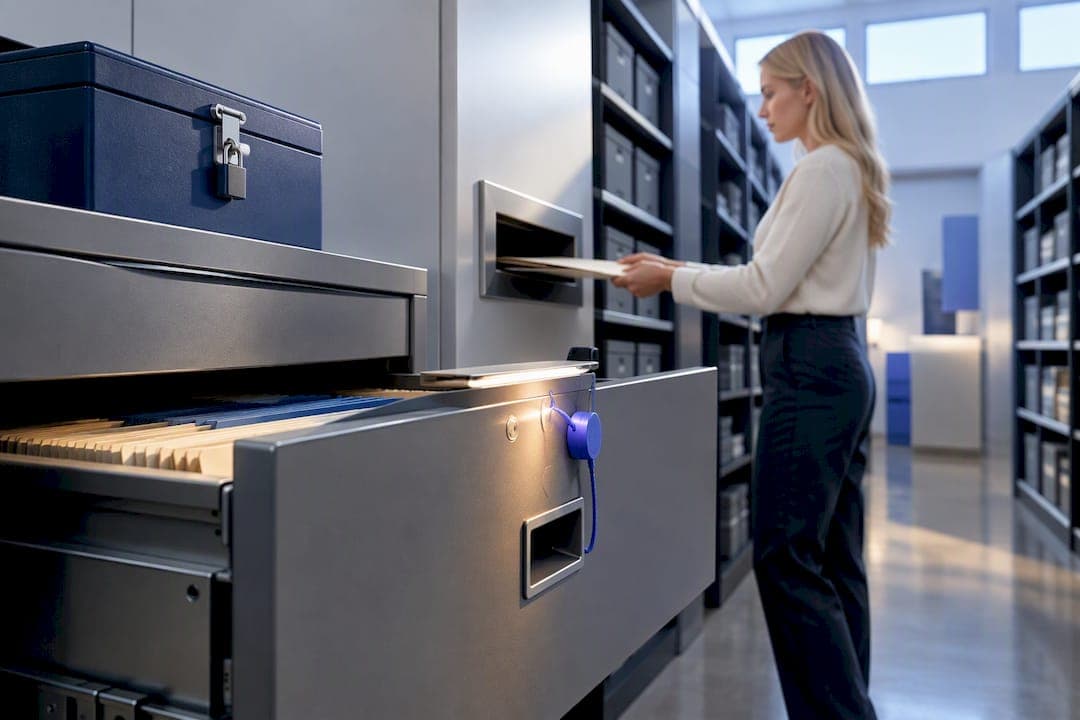
FERPA document security means applying reasonable, risk-based controls to student PII in both paper and electronic records: classify what you hold, restrict access to people with legitimate educational interest, authenticate every recipient, encrypt files in transit and at rest, log disclosures, and keep an incident-response plan ready. Local-first processing lowers your hosting exposure, but it does not replace governance, endpoint protection, or vendor contracts. Get those six controls right and the rest of your compliance program falls into place.
TL;DR:
- Classifying and encrypting student records, limiting access to only those with a legitimate educational interest, and regularly recertifying permissions are essential for FERPA compliance.
- Most data leaks occur during document handling outside the student information system, such as printing, scanning, or using removable media, necessitating strict process controls.
- Vendor agreements must specify data use, access restrictions, encryption standards, breach response, and destruction procedures before any records are shared externally.
- Authentication methods should match the sensitivity of the record, with higher security for high-risk disclosures, and accounts must be locked after failed login attempts and recertified periodically.
- Maintaining detailed logs of record requests and disclosures, conducting regular training, and having a tested incident response plan are crucial for effective breach management.
Table of Contents
- What Does FERPA Document Security Actually Require?
- Where Do Documents Actually Leak Outside the SIS?
- What Belongs in a Vendor Contract for Student Records?
- How Should Schools Authenticate Recipients of Student Records?
- What Records Does FERPA Require You to Keep?
- How Should Districts Handle a Student Data Breach?
- How Do You Put a FERPA Document Security Program in Place?
- What Local-First Document Handling Actually Teaches You
- Keep Student Records Local and Auditable With Lawtonpdf
- Sources
- FAQ
What Does FERPA Document Security Actually Require?
FERPA protects personally identifiable information wherever it lives, whether that's a scanned transcript, a spreadsheet of grades, or a signed IEP sitting in a filing cabinet. The Data Security Checklist from the Privacy Technical Assistance Center (PTAC) frames security as an ongoing program, not a one-time fix. It touches people, processes, technology, governance, monitoring, and audits together, and it treats "reasonable" as relative to the sensitivity of the data and the threats around it.
That baseline breaks into five practical actions administrators can apply document by document.
- Classify every record by identifier type: direct identifiers like names and student ID numbers, and indirect ones like birthdates, disability status, or program enrollment.
- Limit access to staff whose role gives them legitimate educational interest in that specific record, not blanket department access.
- Encrypt files during transmission and while stored, on servers, laptops, and shared drives alike.
- Harden endpoints with full-disk encryption, current OS patches, and anti-malware, since a local-only workflow still needs device-level protection.
- Recertify access periodically so former staff, transferred employees, and expired contractors lose permissions automatically.
Pro Tip: Run a quarterly access review tied to your HR system. Staff who change roles almost always keep old file permissions unless someone actively removes them.
Where Do Documents Actually Leak Outside the SIS?
Most FERPA exposure doesn't happen inside your student information system. It happens in the gaps around it, the places nobody assigned an owner. Training materials from PTAC point to scanner queues, local downloads, email attachments, and print trays as the recurring failure points.
Close each stage of the document lifecycle in order:
- Scanning: Route scans to a held queue with immediate classification, not an open shared folder.
- Downloads and desktop copies: Apply data-loss-prevention rules and audit shared drives regularly for stray PII files.
- Printing: Use locked-release printing with logs, so a document only prints once someone badges in at the machine.
- Removable media: Track and sanitize any USB drive or external disk that touches student records.
- Disposal: Document paper destruction with a chain-of-custody record, and never let disposal timelines override retention obligations.
What Belongs in a Vendor Contract for Student Records?
Any time a document leaves your district for a vendor or authorized representative, a written agreement needs to do the heavy lifting FERPA expects of you. PTAC's Vendor FAQ puts the responsibility squarely on the school to preserve direct control over student PII, even after the data leaves your building.
Build these elements into every vendor agreement before a single file transfers:
- Permitted purposes and the specific data elements covered, spelled out rather than assumed.
- Access restrictions naming which vendor personnel can touch the data.
- Hosting location, encryption standards, and audit rights you can actually exercise.
- Incident-response obligations and a required timeline for notifying you of any breach.
- Destruction or return terms, including a signed certification of deletion at contract end.
Cloud hosting itself isn't prohibited under FERPA. But if a vendor can't answer where data sits, who can see it, and how they'll prove deletion, that's a reason to keep those records on a local-first workflow instead.
How Should Schools Authenticate Recipients of Student Records?
Consent doesn't excuse you from verifying identity. PTAC's Identity Authentication Best Practices guidance is explicit that reasonable authentication applies across disclosures and access requests, consent or no consent. The strength of the method should scale with the sensitivity of the record.
- Baseline: Username and password for low-risk internal access, refreshed regularly.
- Stronger: Multi-factor authentication for remote access, financial aid records, or health-related documents.
- Strongest: In-person verification or notarized identity checks for high-risk one-time disclosures, like a subpoena response.
Lock accounts automatically after failed login attempts, store credentials with proper hashing, and recertify accounts on a set schedule. A partner resource on family access to degree plans shows how districts can grant parents or guardians secure access in minutes without weakening these controls.
Pro Tip: Match authentication strength to document sensitivity, not to convenience. A disciplinary record deserves a harder login than a general enrollment letter.
What Records Does FERPA Require You to Keep?
Under 34 C.F.R. §99.32, you must maintain a record of each request for access to, and each disclosure of, PII from a student's education record. That record needs to identify the recipient, their legitimate interest, and the purpose of the disclosure.
- Keep access logs and export logs that timestamp who touched a file and when.
- Track disclosures separately from routine internal access so you can produce a clean report on demand.
- Set a retention schedule for these logs that matches your state's records law, then prepare them for parent or eligible-student inspection on request.
How Should Districts Handle a Student Data Breach?
FERPA itself doesn't spell out breach-notification rules, but PTAC's Data Security Checklist recommends a written incident-response program you test before you ever need it, and state breach laws often fill the notification gap FERPA leaves open.
- Detect the exposure and identify exactly where the affected PII lives.
- Contain it by revoking access and isolating affected systems immediately.
- Preserve logs and evidence before anyone starts remediation work.
- Notify legal counsel, leadership, and any parties required under state law.
- Remediate the vulnerability and confirm access is fully locked down.
- Document every step for your own records and for regulators.
Run a tabletop exercise annually. A practical breach-response guide can help you build the walk-through before a real incident forces you to improvise.
How Do You Put a FERPA Document Security Program in Place?
A working sequence turns these controls into something your staff can actually execute, week over week.
- Inventory every location where student documents live, digital and physical.
- Classify each by identifier type and sensitivity.
- Assign legitimate-interest roles and configure least-privilege access.
- Secure endpoints with encryption and enforce risk-based authentication.
- Lock down vendor contracts and log every disclosure.
- Train staff on document handling, then audit the whole system on a recurring schedule.
Editable document retention policy templates let you adapt this checklist to your state's records law without starting from a blank page. Plan training refreshers twice a year and a full audit annually at minimum.
What Local-First Document Handling Actually Teaches You
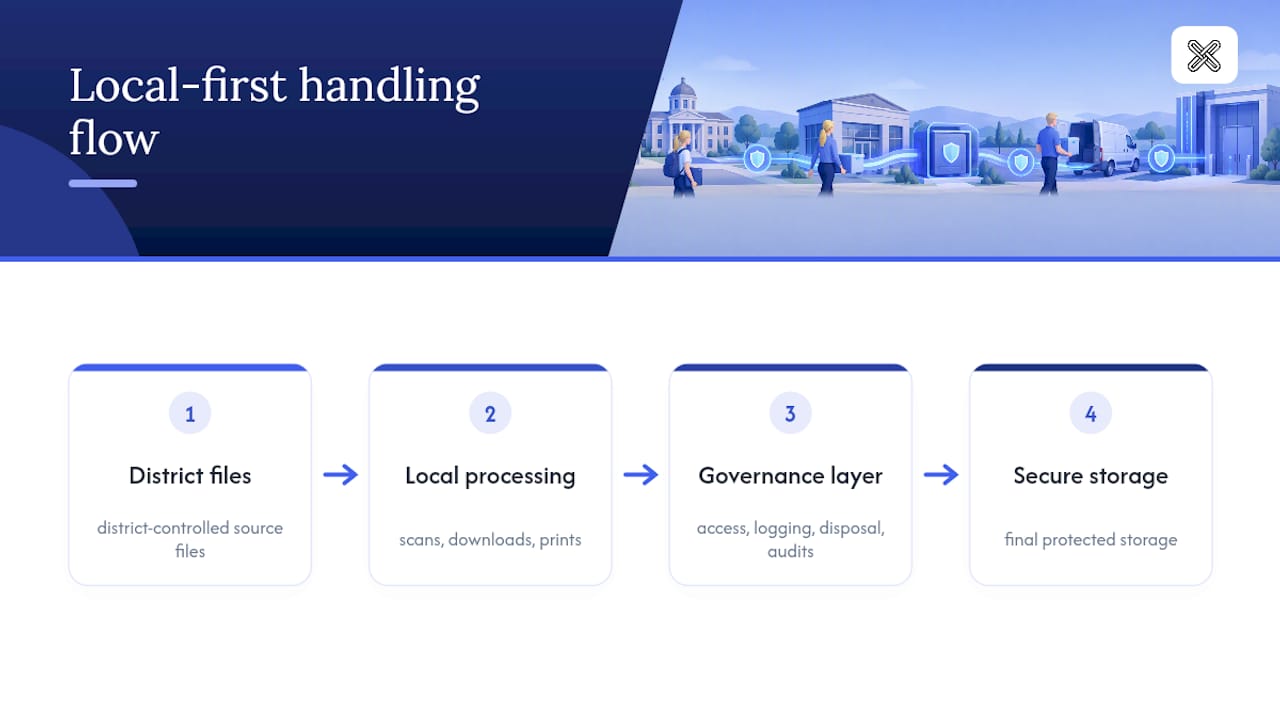
The biggest misconception about local-first document security is that it solves the problem by itself. It doesn't. Keeping files off a server cuts your upload exposure, but every failure I've seen in practice happens at the endpoint: an unlocked scanner queue, a downloaded copy sitting on a desktop, a printout left in a shared tray overnight.
What actually works is pairing local processing with the governance layer FERPA expects anyway, access rules, logging, and disposal procedures that don't depend on where the file happens to sit. Templates speed up the paperwork side of compliance, but they only hold up if someone is auditing the endpoints behind them.
— Lawton
Keep Student Records Local and Auditable With Lawtonpdf
There are document platforms for schools and districts that provide FERPA-aligned control without exposing files to outside servers. Every merge, redaction, comparison, and password protection runs on your own hardware, so student PII never uploads anywhere, which directly supports the local-first governance this guide covers.
That approach pairs with practical logging habits: districts using local per-file encryption and 90-day retention logs get the same disclosure-tracking discipline PTAC recommends, without sending files to a third party first. Lawtonpdf's tools for comparing and protecting PDFs work well for the transcript audits and record reviews compliance officers run constantly.
Check current Plus and Business plan details and start a trial to see how local-first processing fits your district's document workflow.
FAQ
What Is FERPA Document Security in Practice?
It means applying classification, least-privilege access, authentication, encryption, and disclosure logging to every student record, paper or digital. PTAC's Data Security Checklist frames it as a risk-based program rather than a single tool.
Does FERPA Require Encryption for Student Records?
FERPA doesn't name a specific encryption standard, but PTAC guidance treats encryption of stored and transmitted files as a baseline reasonable-security measure. Sensitivity of the record should drive how strong that encryption needs to be.
Is Cloud Hosting Allowed Under FERPA?
Yes, FERPA doesn't prohibit cloud hosting, but schools stay responsible for protecting the data regardless of where it sits. That's why many compliance officers prefer local-first tools like Lawtonpdf that keep processing off outside servers entirely.
What Records Must Districts Keep Under 34 C.F.R. §99.32?
Districts must log each request for access and each disclosure of PII, including the recipient, their legitimate interest, and the purpose. These disclosure records need to be ready for parent or eligible-student inspection on request.
How Much Does Lawtonpdf Cost?
Lawtonpdf offers Plus, Business, and Free plans, with current pricing details available on the pricing page. Districts evaluating local-first document tools can compare plan features there before committing.